Get started
Built with gpuicn
Explore Matty, a complete Mattermost client, then see how its interface uses the component catalog.
Built with gpuicn by Karya Labs
See gpuicn in a real app.
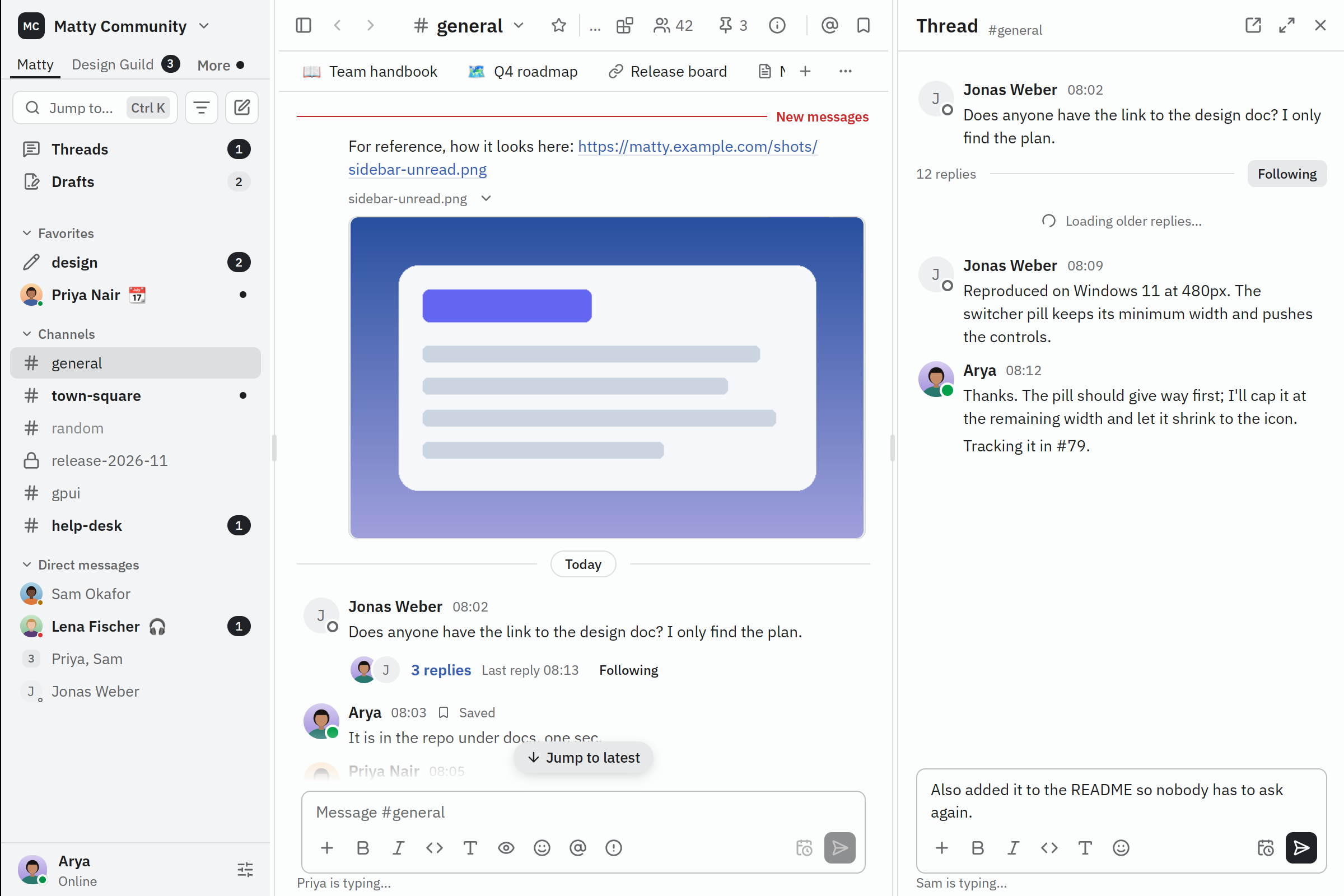
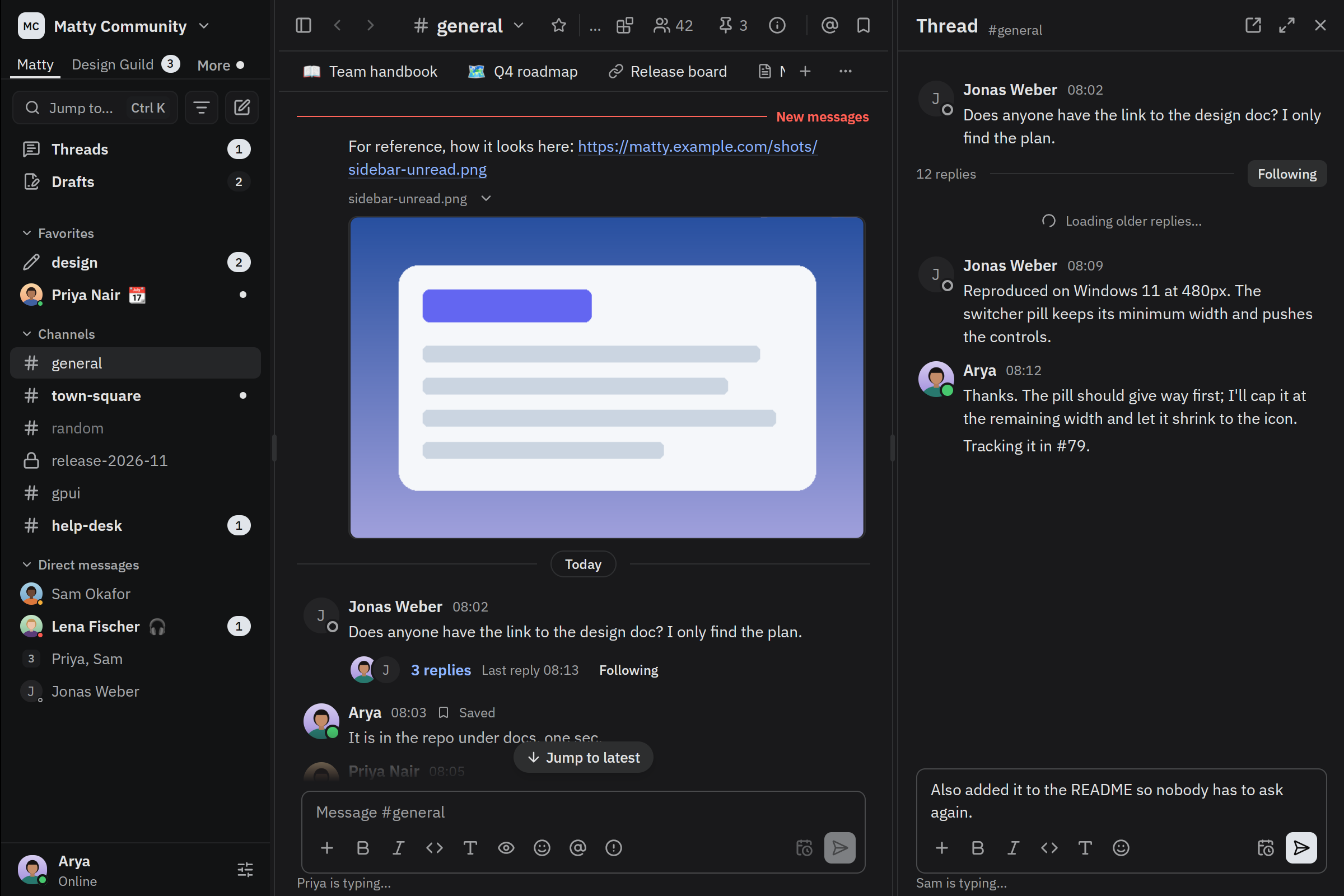
Matty is an open-source Mattermost client built with gpuicn. Explore channels, open threads, and try the composer in a sample workspace. No account needed.
Inside Matty
Built by Karya Labs for macOS, Linux, Windows and the web. These components are used in Matty's interface; its networking, offline sync and application state live in Matty itself.
Channel navigation
Sidebar holds the channels, with Avatar and Badge for people and unread counts, and Menu for actions. Read the sidebar source.
Messages and replies
Message List, Composer, Attachment and Emoji Picker come together in the thread pane. Read the thread pane source.
Overlays that stay in context
Dialog, Popover and Lightbox handle focused actions and image previews. Try opening an attachment in the sample workspace.
Want to build your own? Get started or open the component gallery.
A smaller example: gpuicn Workspace
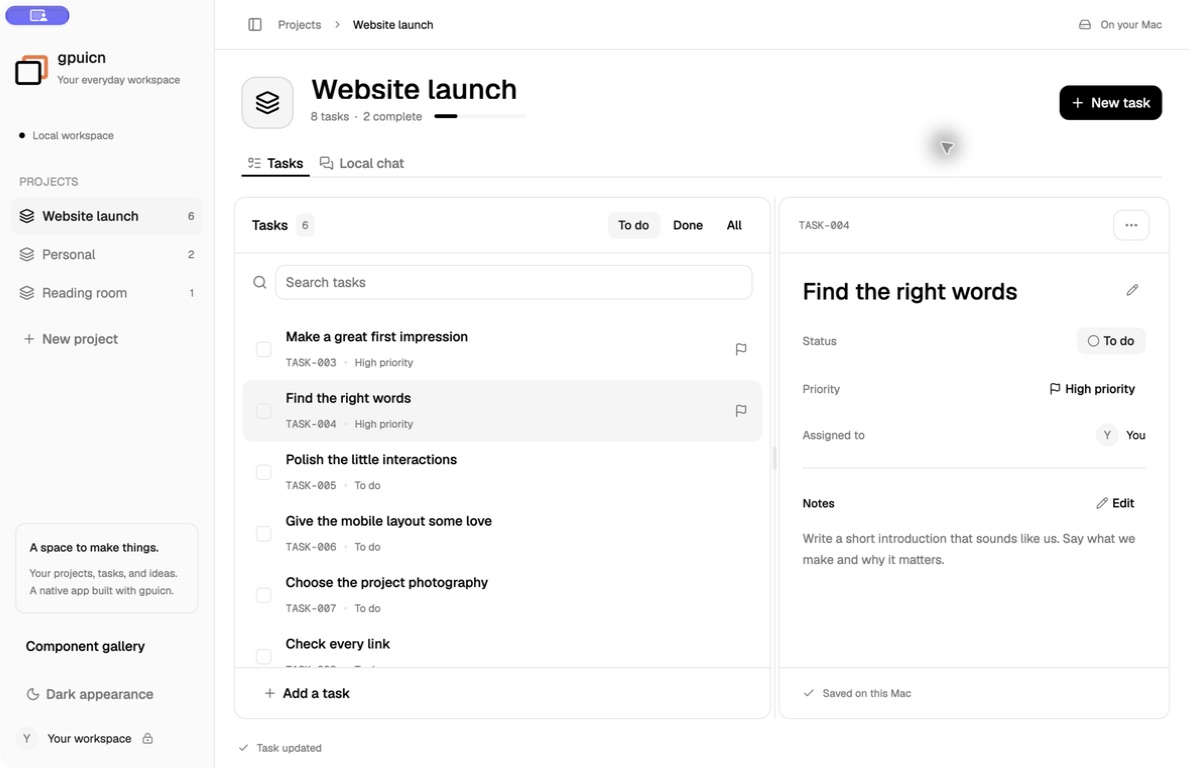
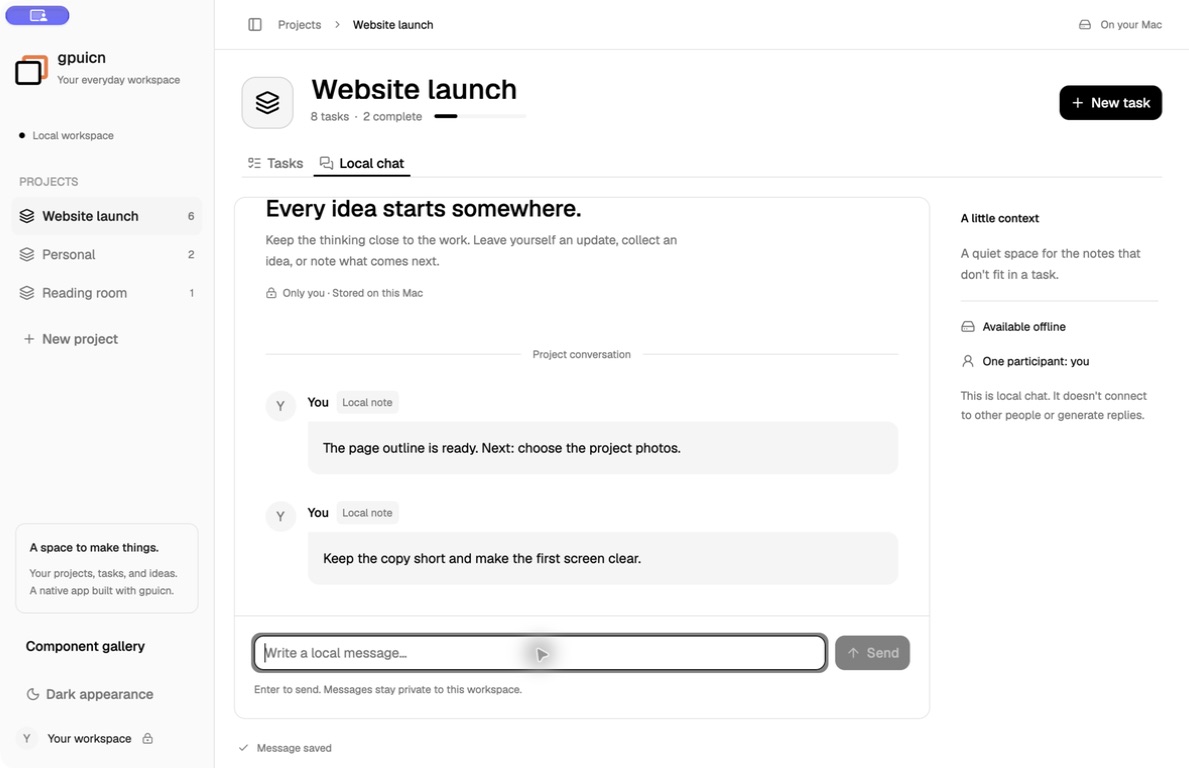
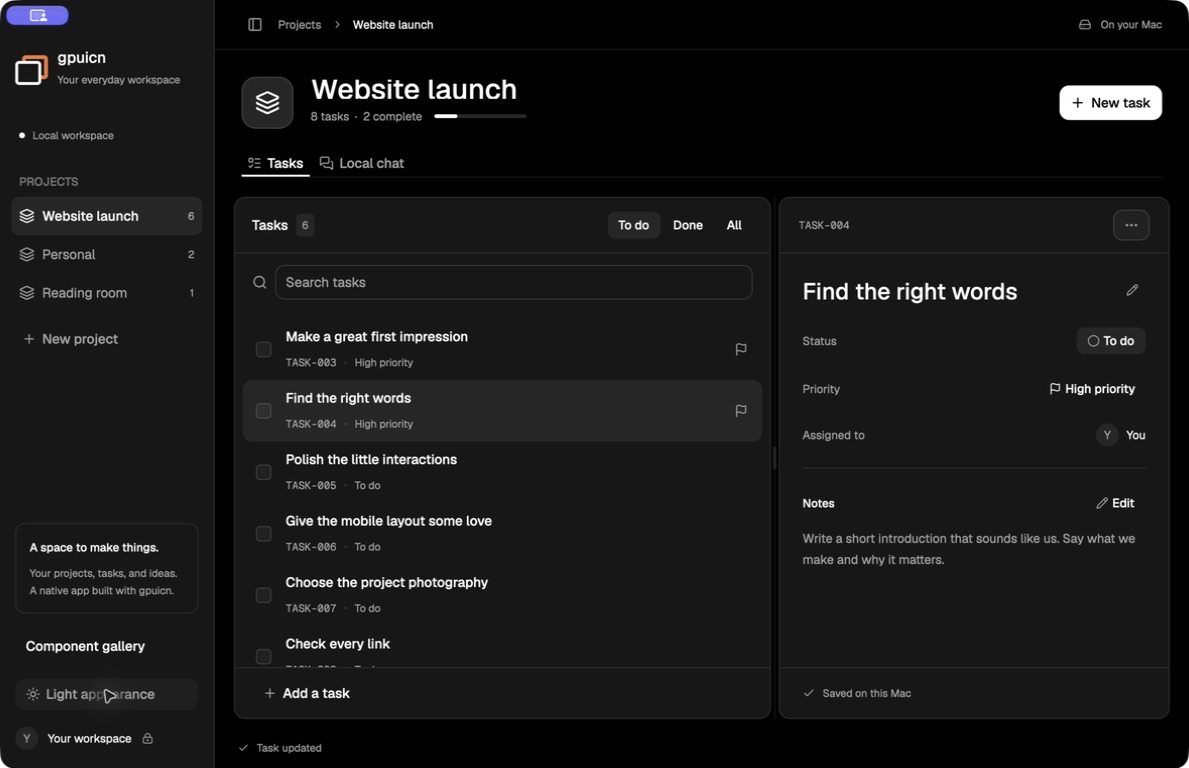
Projects, tasks, and notes saved on your computer. Workspace is a simpler starting point for reading how an app is assembled from the catalog.
This macOS build is not notarized, so macOS may refuse to open it.
What it does
Workspace keeps projects, tasks, and notes in a local file. There is no account and no network access. Local chat is a message log per project. It does not connect to other people and does not generate replies.
The macOS build is signed and notarized by the release workflow. The Linux builds are a preview and need testing.
Install
On macOS, unzip the download, move gpuicn Workspace to Applications, and open it.
On Linux, extract the archive and run ./gpuicn-workspace from its folder. The
release page lists the Linux
dependencies and checksums.
Run from source
From a checkout of the gpuicn repository, on macOS:
cargo run --release -p gpuicn-showcase --features gpui_platform/runtime_shadersOn Linux, with the build dependencies from Installation:
cargo run --release -p gpuicn-showcase --features gpui_platform/x11,gpui_platform/wayland